1
/
of
6
District47
TAKVault - Secure ATAK File Management Plugin
TAKVault - Secure ATAK File Management Plugin
Regular price
$9.95 USD
Regular price
Sale price
$9.95 USD
Unit price
/
per
Couldn't load pickup availability
AES-256-GCM
Instant Download
ATAK 5.6.0
Android
Plugin v3.4
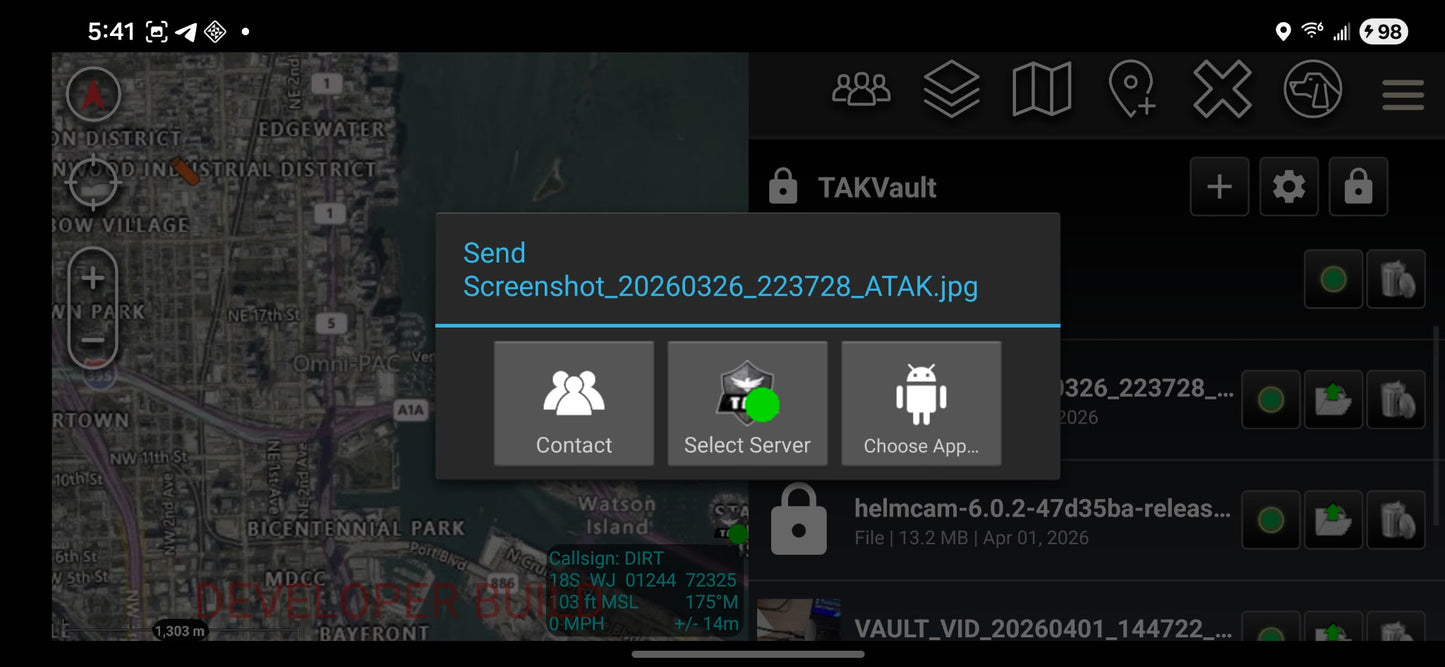
TAKVault gives ATAK operators a fully encrypted, PIN-protected vault inside their ATAK environment. Store sensitive files, credentials, photos, and recordings — all encrypted at rest, all viewable internally without ever launching an external app.
Every file gets its own randomly generated initialization vector. Credentials are encrypted field-by-field. The vault auto-locks when the ATAK dropdown closes. Nothing is ever written to disk in plaintext. If you forget your PIN, the data is gone — that's not a bug, it's the design.
What's included
- PIN-protected vault with no recovery — no attack surface
- Import files, photos, video, and audio from device storage
- Capture photo or video directly from camera — encrypted immediately
- Built-in audio recorder — AAC 128kbps, encrypted on stop
- Credential manager — name, username, password, notes (all encrypted)
- Internal viewer — photos, video, and audio stay inside ATAK
- Export to device storage or send via ATAK network
- Vault wipe with double-confirmation — complete data destruction
Encryption spec
| Cipher | AES-256-GCM |
| Key derivation | PBKDF2 · 100,000 iterations · 32-byte random salt |
| IV per file | 12-byte random, prepended to ciphertext |
| Auth tag | 128-bit GCM — detects tampering and rejects modified data |
| Crypto library | Android javax.crypto only — zero external dependencies |
How to install
- 1Complete your purchase — you'll receive an email with your APK download link instantly.
- 2Transfer the APK to your Android device running ATAK 5.6.0.
- 3Sideload the plugin via ATAK's Package Manager or Android's app installer.
- 4Open TAKVault from the ATAK toolbar, create your PIN, and start securing data.
PIN recovery warning
TAKVault has no PIN recovery mechanism. If your PIN is forgotten, all vault data is permanently inaccessible. This is an intentional security design. Store your PIN somewhere safe.
Compatibility
| ATAK version | 5.6.0 |
| Plugin version | 3.4 |
| Build flavors | CIV · MIL · GOV |
| Min Android | 5.0 (SDK 21) |
| Target SDK | Android 14 (SDK 34) |
| Delivery | APK · digital download |
Share