HOME /ATAK PLUGINS & DATA PACKAGES /TAK SERVER INSTALLER — OPENTAKSERVER IN 5 GUIDED STEPS | FREE WINDOWS SETUP WIZARD FOR ATAK, TAK AWARE & WINTAK
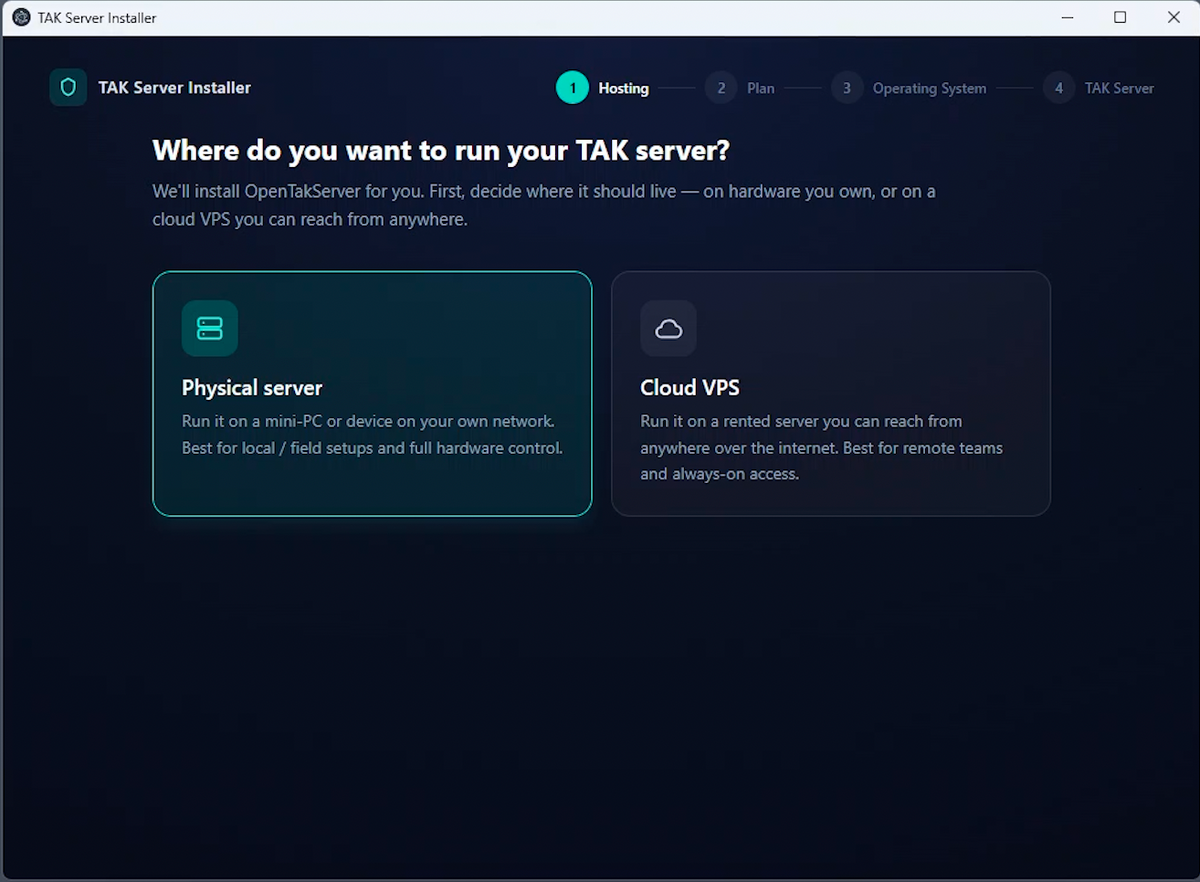
TAK Server Installer — OpenTAKServer in 5 Guided Steps | Free Windows Setup Wizard for ATAK, TAK Aware & WinTAK
SKU: D47-TAKINST-WIN
Standing up a TAK server usually means a Linux terminal, a curl command you don't recognize, and an installer that stops to ask a question you can't see. Most people quit somewhere between flashing Ubuntu and figuring out why ATAK won't connect. This app walks you through all of it — hardware, OS, install, and the finishing work — in 5 guided steps.
WHY IT'S IN THE SHOP
Every data package in this store is better with a server behind it. OpenTAKServer is free and capable, but its install assumes you already live in a terminal. This wizard closes that gap. It's the companion download for the District47 YouTube walkthrough, and it's free.
WHAT IT DOES
- 1 · Hosting — pick your own hardware or a cloud VPS.
- 2 · Plan — no box yet? It recommends a mini-PC. Going cloud? It sizes the VPS to your team, from 1 vCPU / 2 GB RAM for 1–10 users up to 4 vCPU / 6 GB RAM for 51–100.
- 3 · Operating system — Ubuntu Server 24.04 LTS. A short guide for a VPS; a full USB walkthrough (Rufus or balenaEtcher) for bare metal.
- 4 · Install — connects to your server over SSH and runs the official OpenTakServer installer in a live terminal inside the app. You watch every line and answer the prompts right there.
- 5 · Configure — server health check, HTTPS with Let's Encrypt, a free DuckDNS domain, a ufw firewall opening 80, 443, 8089 and 8446, router port-forwarding steps for on-prem, and device connection details. Ends with a printable install report.
The install itself sets up OpenTakServer, the web admin dashboard, a certificate authority, PostgreSQL + PostGIS, RabbitMQ, Nginx, and MediaMTX video streaming — with ZeroTier and a Mumble voice server as optional add-ons.
WHAT YOU NEED
- A Windows 10 or 11 PC to run the installer.
- A target machine: a mini-PC or spare computer you can wipe, or a VPS.
- About 30–60 minutes, most of it waiting on downloads.
FIELD NOTES
The build is unsigned. Windows SmartScreen will show an "unknown publisher" warning on first run — click More info → Run anyway. That's expected, not a problem with the file.
Windows only for now. The server side is Ubuntu only; the app doesn't install onto Windows or other Linux distributions.
Your SSH username and password stay in the app. They're used only to log into your own server, never sent to District47, and cleared when you close the program.
The mini-PC and VPS recommendations inside the app use affiliate links. They cost you nothing extra and help keep free tools like this one free.
Open source under the MIT license. Source code: github.com/District47/tak-installer. OpenTAKServer is an independent open-source project and isn't affiliated with District47.
KEEP THE FREE TOOLS FREE
This installer costs nothing and always will. The free tools and data packages are paid for by people who chip in after using one — if this saved you an evening, there's a donation page. Any amount, no obligation, and it stays free either way.
DISTRICT47 · district47.us